Orchestra
Orchestra is a call records management system for client-facing teams. It brings every call (who, when, where and for how long) into one place, with the voice recording, the location on a map and a full audit trail.
Every client conversation leaves a trace. Orchestra collects those traces and arranges them, like instruments in an orchestra, into one clear picture.
Starting point. Teams spent too long piecing together call history from different exports. The design is built around a simple flow: choose a client, set up a task to collect their calls, then review each record with its details, recording and location. Orchestra shares its layout and components with Hawkeye, so teams using both feel at home.
Entities
Each client is an entity: a name and the phone numbers that belong to it. Everything else in Orchestra hangs off this list.
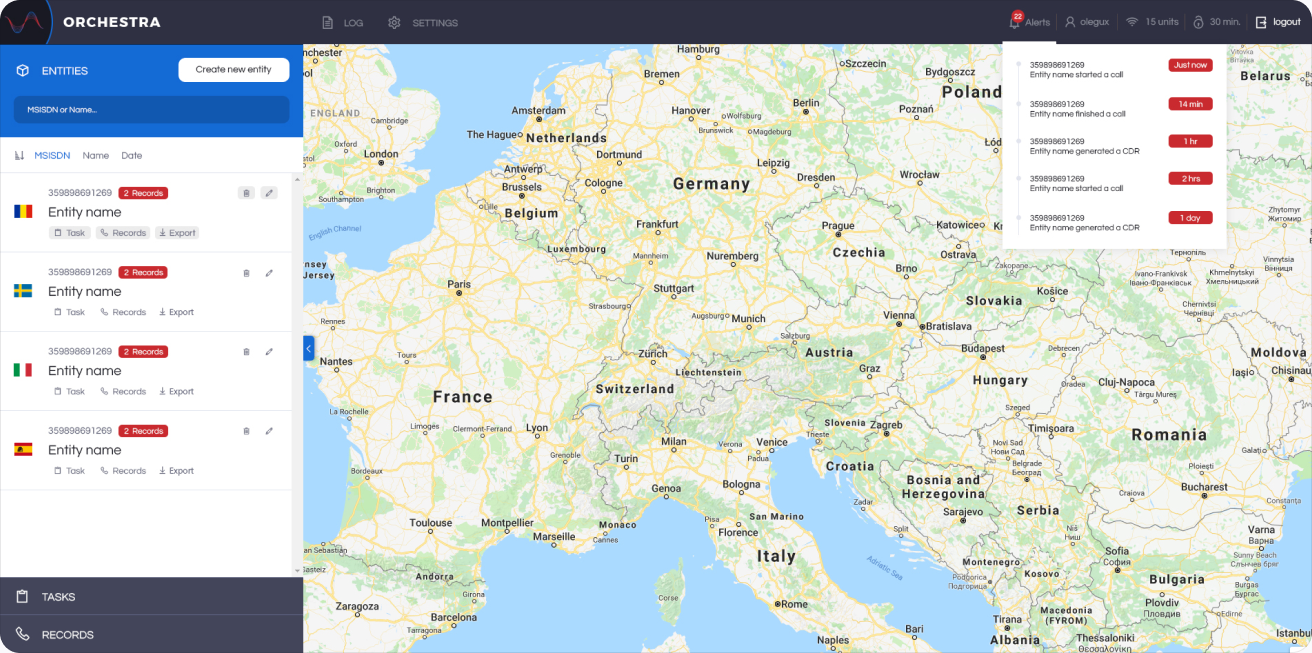
Entities. A searchable list of clients beside a full-screen map. Each card shows the phone number, the number of records and quick links to tasks, records and export.
Tasks
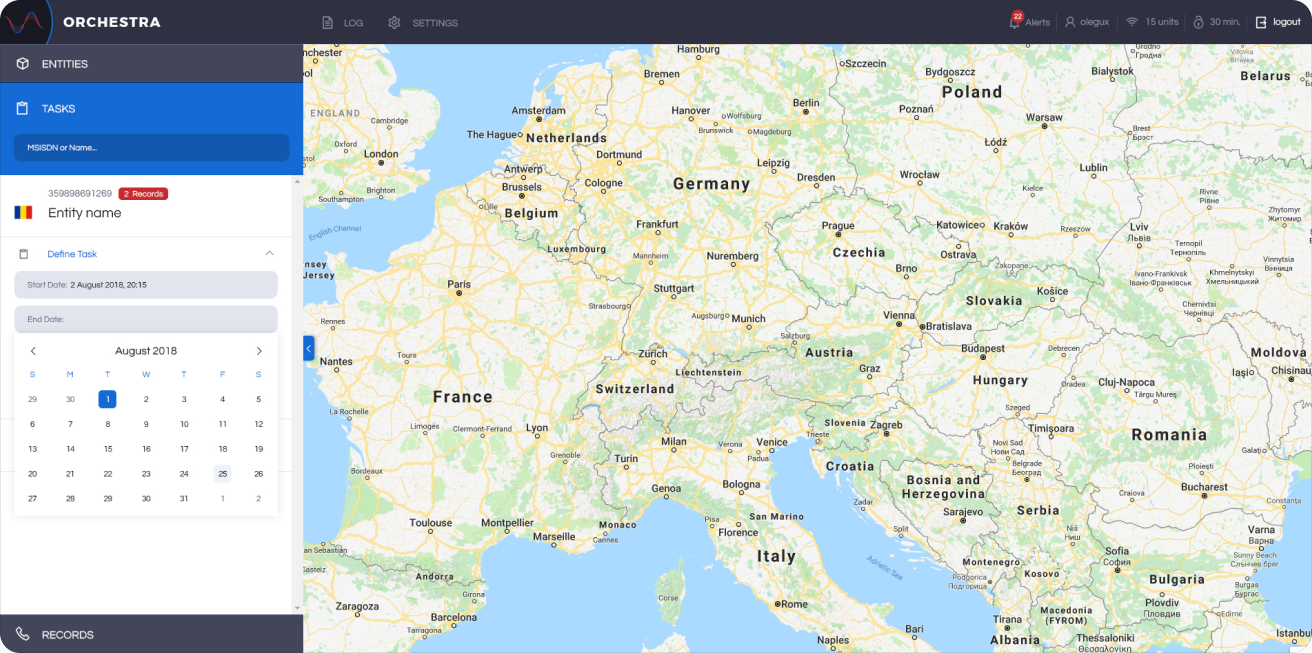
A task tells Orchestra what to collect: which client, for which period and which type of data.
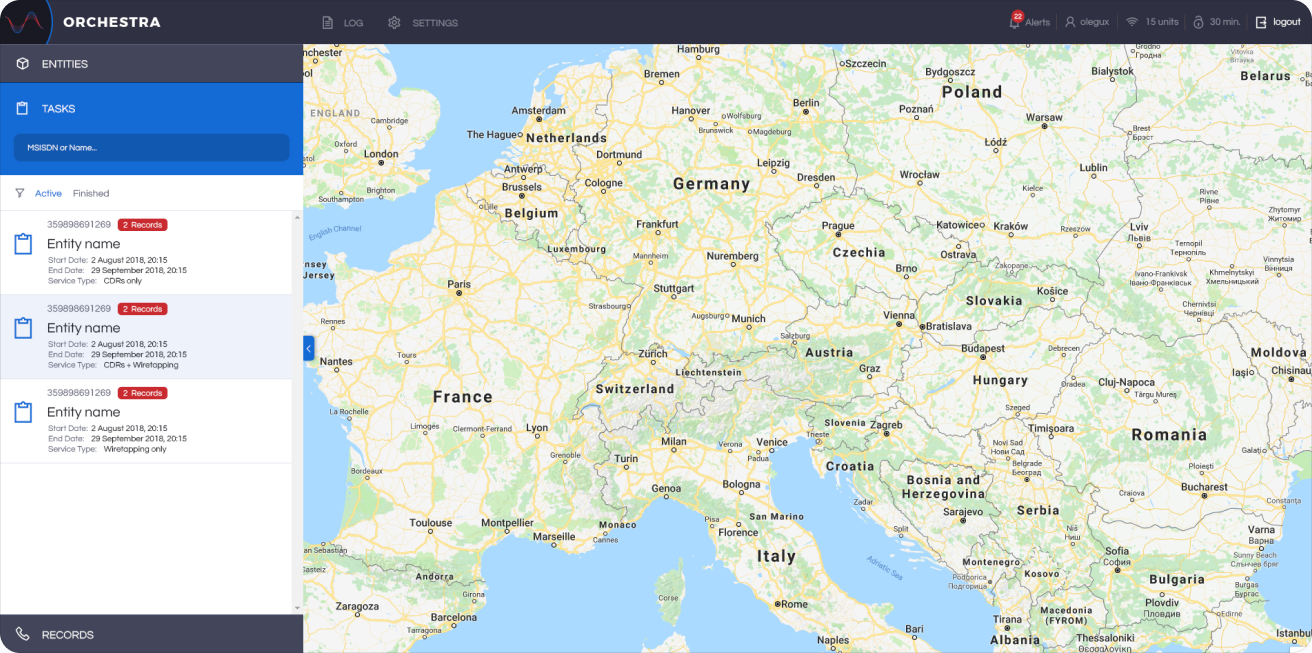
All tasks. Active and finished tasks in one list, each with its start and end date, service type and a red badge showing how many records it has collected so far.
Task dates. Creating a task takes one short form. The date picker lets the team set the collection period in a couple of clicks, with the time beside each date.
Records
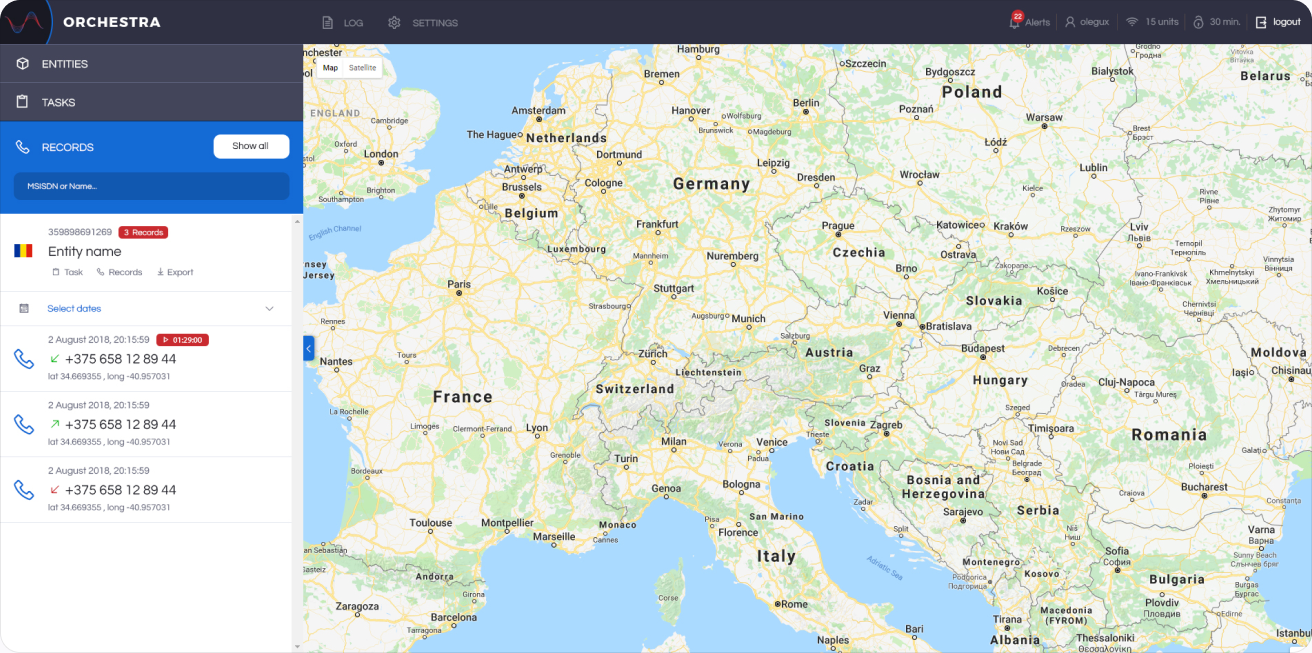
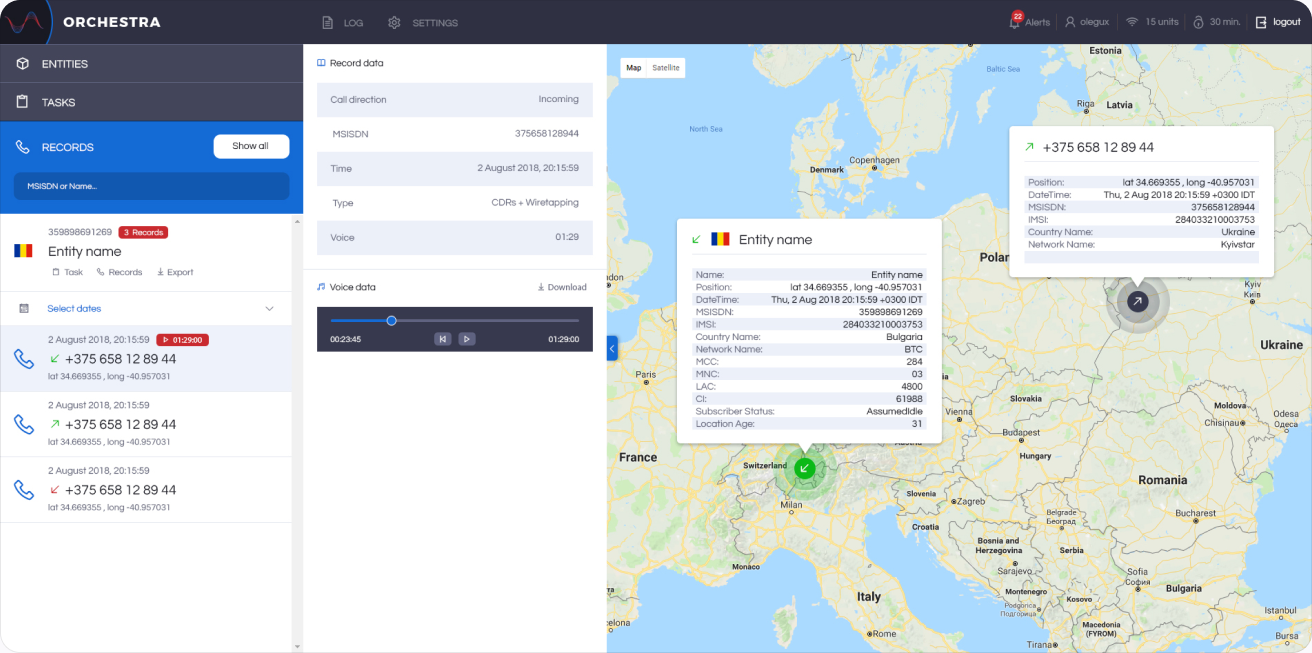
Records are the calls themselves. The list, the details and the map always stay in sync.
Selected dates. Filter a client’s records by date to see just the calls that matter, each with direction, number, time and coordinates.
Selected record. Open a call to see its full data (direction, number, time, type and duration), play the voice recording in a built-in player, and see where both sides were on the map, with network details in a popup.
Log
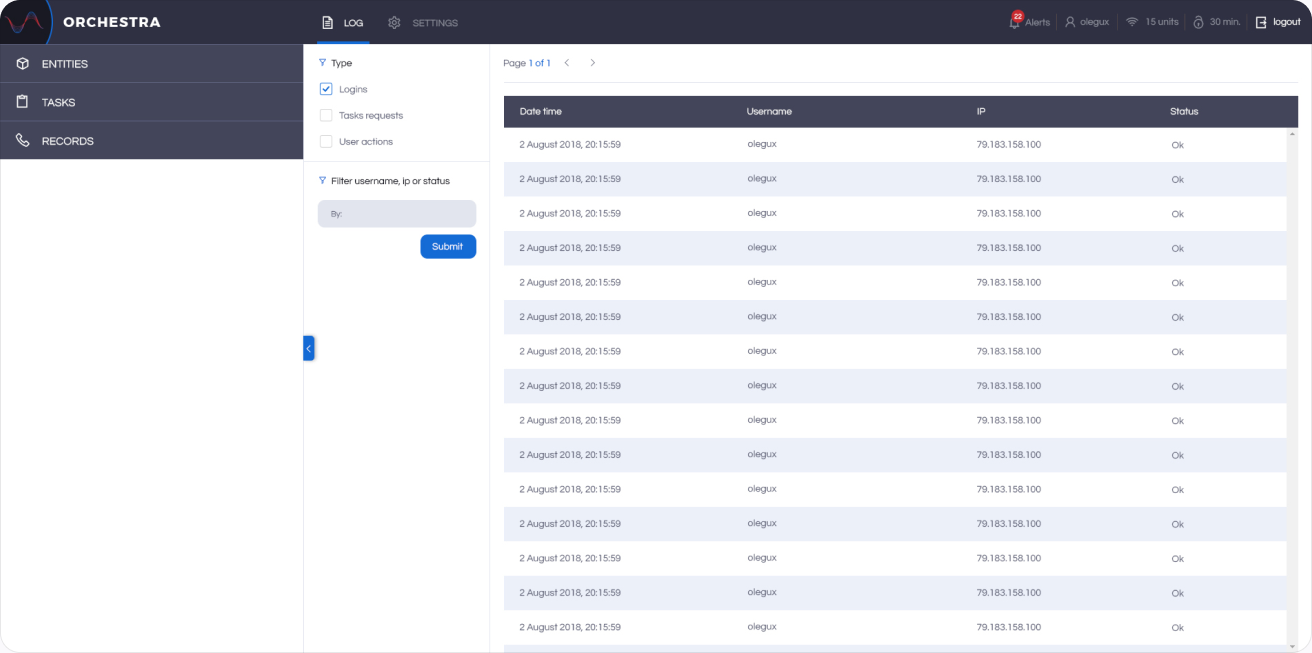
Call data is sensitive, so every action in Orchestra is recorded.
Activity log. A table of logins, task requests and user actions with date, user, IP address and status, filterable by type or by searching for a username, IP or status.
Settings
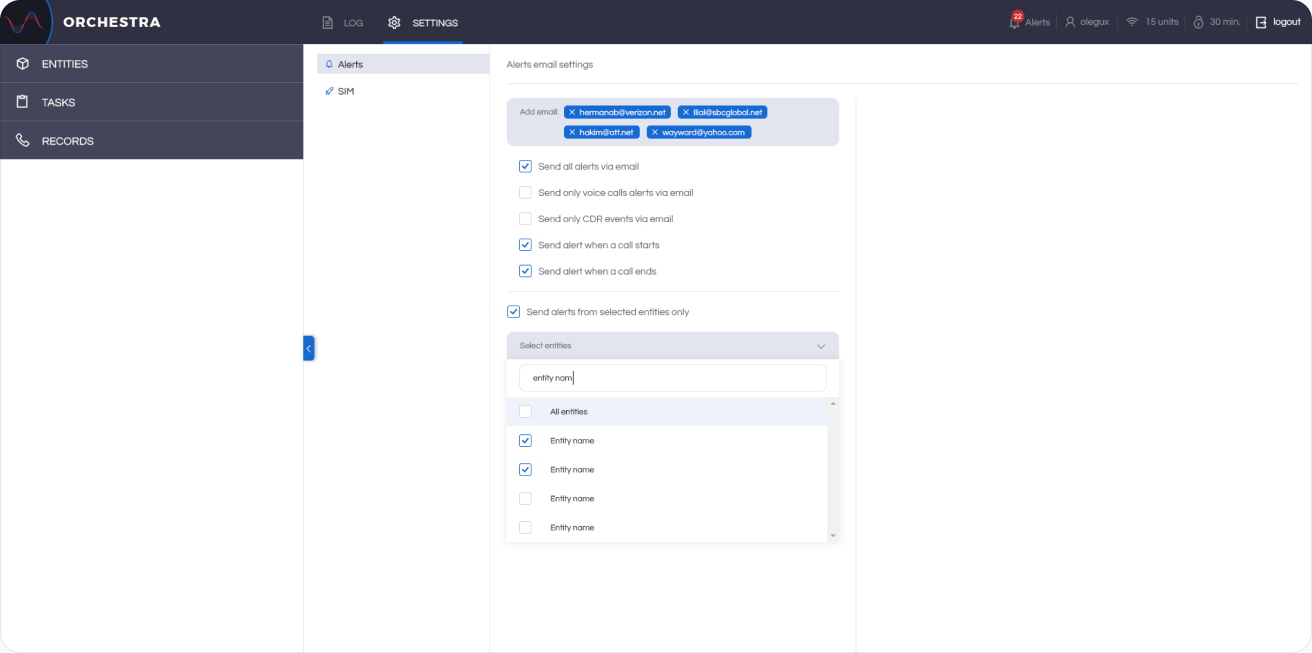
Admins decide who is notified and which phone lines Orchestra works with.
Alerts. A step-by-step setup for email alerts: choose recipients, the events that trigger an alert and the clients it applies to.
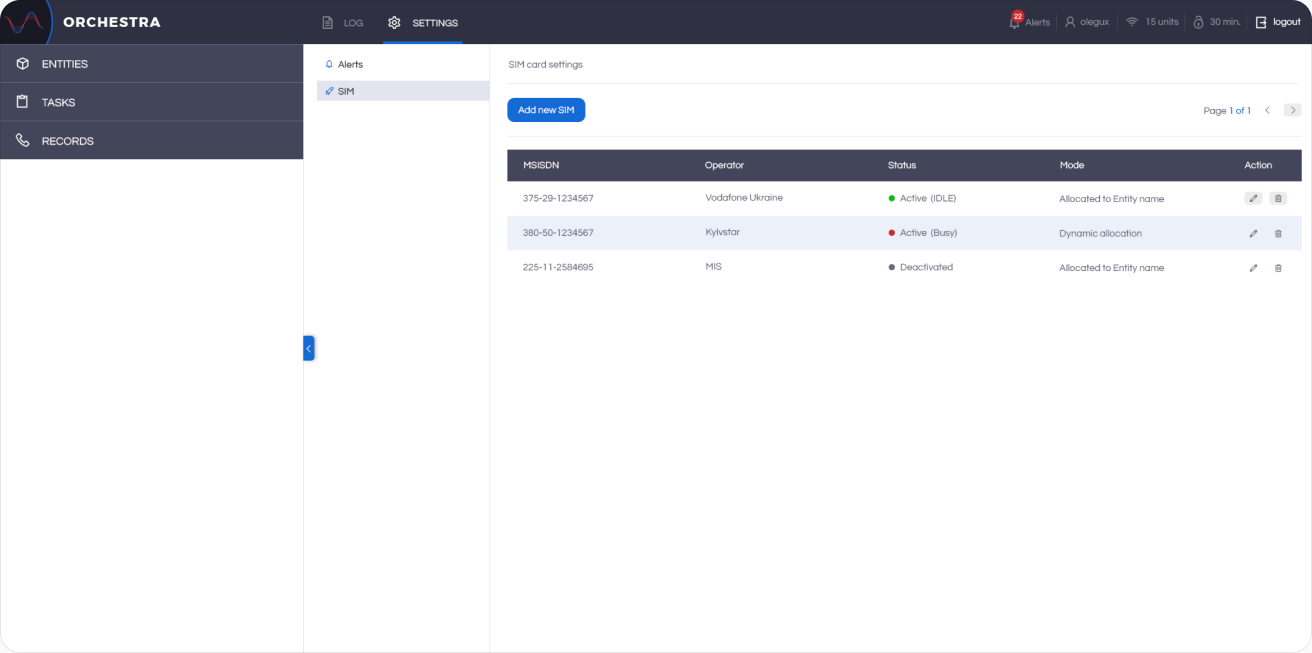
SIM cards. Every SIM the system uses, with its number, operator, status (active, busy or deactivated) and whether it is allocated to a client or used dynamically.