Saturn V
Saturn V is a strategic, multi-dimensional data intelligence (DI) solution. It brings location, identity, device and network data onto one map, so analysts can move from a question to an answer, and from an answer to the people behind it.
Data intelligence is about connecting dimensions: a place, a time, a device, a person. Saturn V puts all of them on one map and keeps the interface quiet so the data can speak.
Starting point. Analysts described their day as constant switching between tools and tabs. The design answers with a single workspace: the map is always the stage, panels slide in for detail, and tabs at the top keep several investigations open at once. A strict monochrome palette lets color be reserved for the data itself.
Map overview
Every investigation starts on the map. From a whole globe down to a single street, the overview is where analysts search, filter and open what they find.
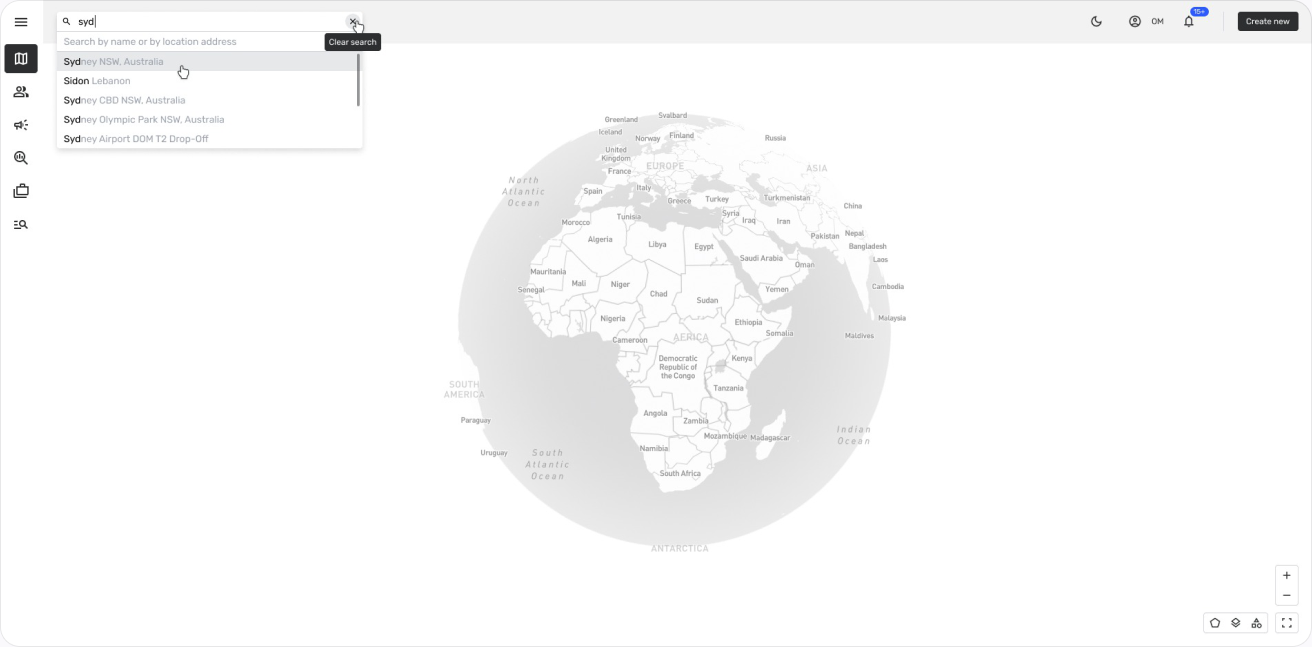
Searching a location. Type a city, an address or a place name and suggestions appear instantly, with the matching letters highlighted. Choosing one flies the globe straight to that spot.
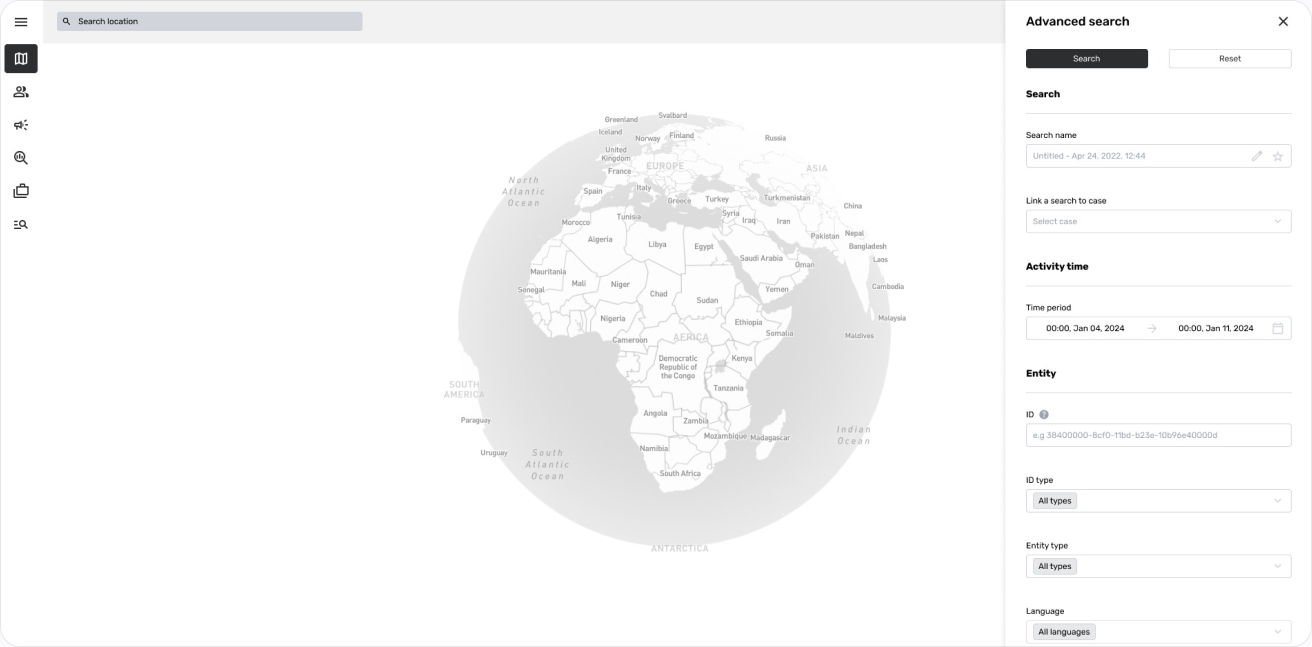
Advanced search. A panel of filters for time range, area, data source and device type, so a broad question can be narrowed down before anything is drawn on the map.
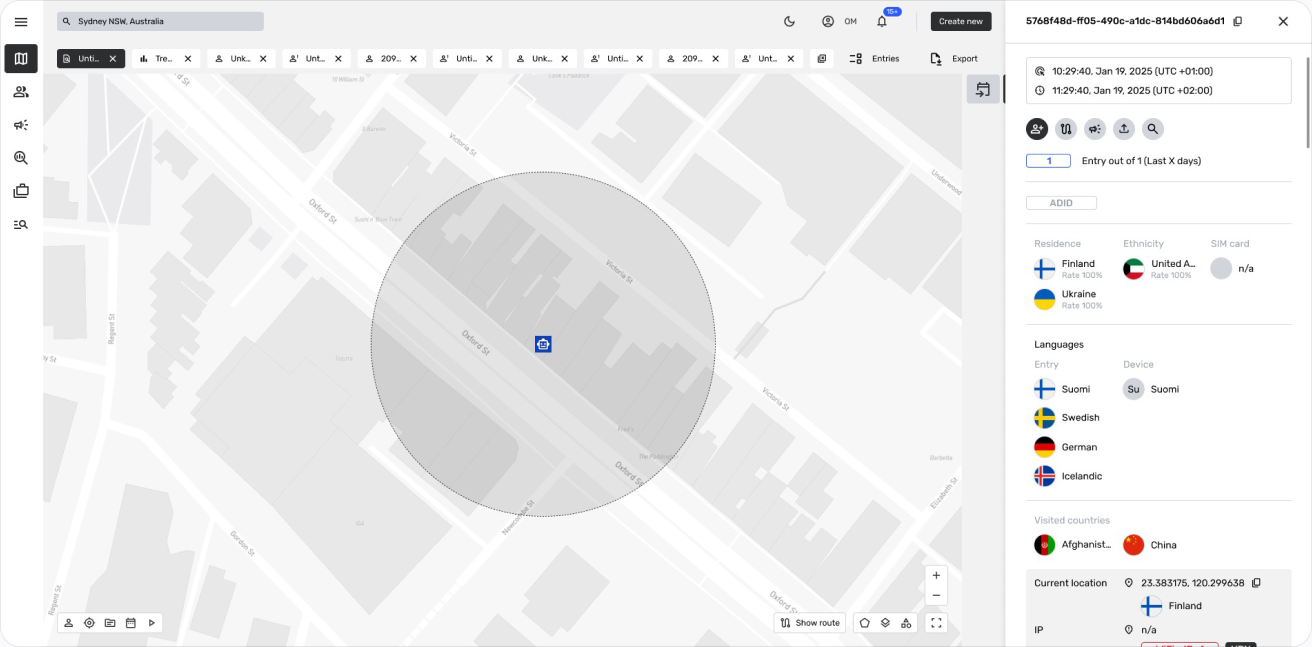
Entry tray. Click any point and a tray slides in from the right with everything known about it: time, residence, languages, device, visited countries, current location and network, without leaving the map.
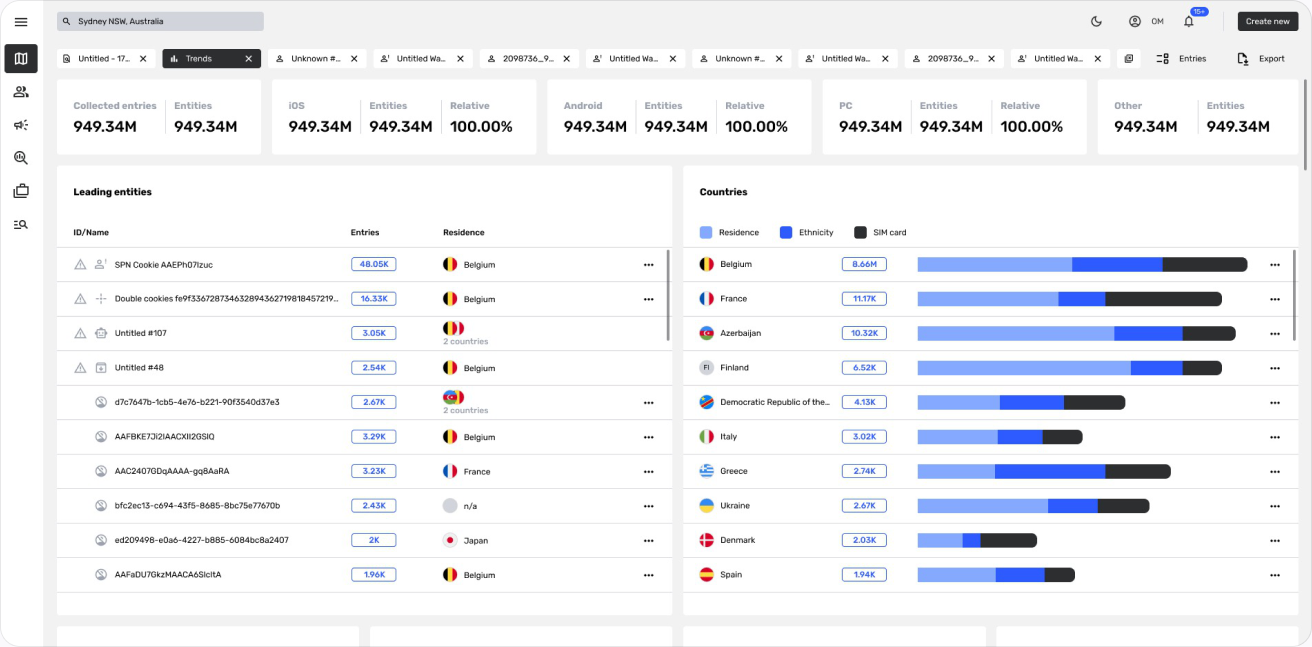
Search trends. A clean overview of activity over time: headline counts across the top, ranked lists with flags and categories, and horizontal bars that make the biggest movers easy to spot.
Entities
An entity is anyone or anything the analyst wants to follow. Saturn V gathers its identifiers, devices and movements into one profile.
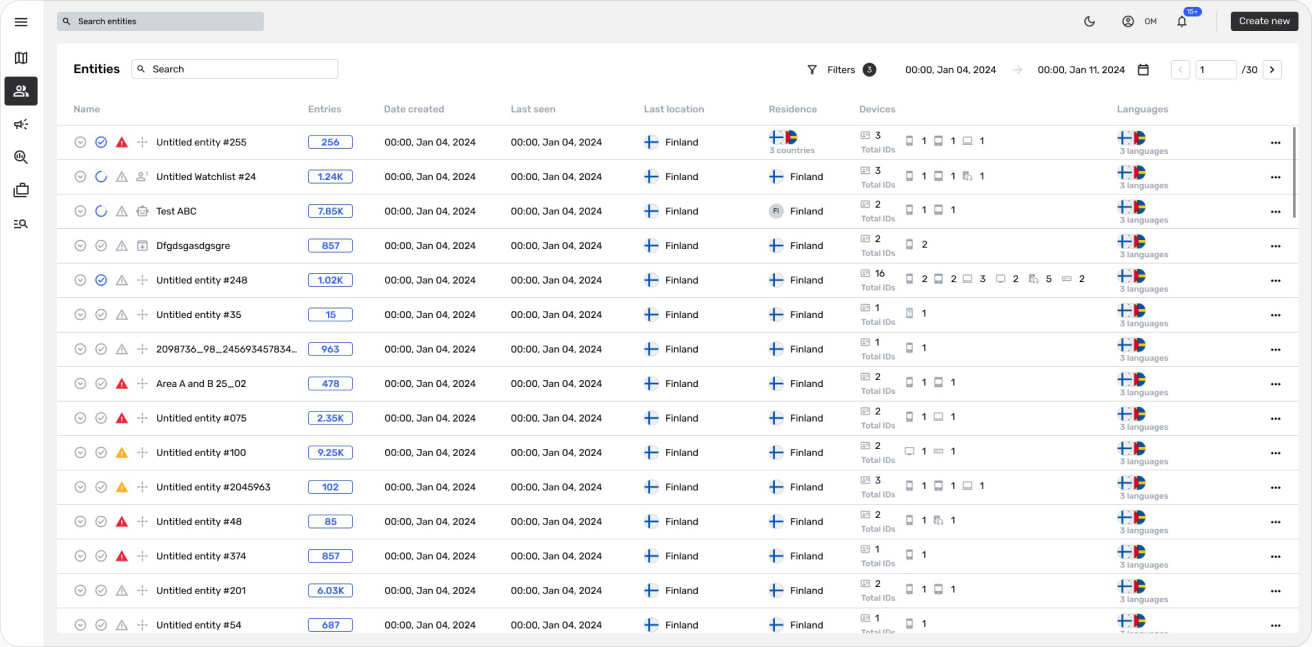
Entities table. All entities in one sortable table: name, number of entries, dates created and last seen, last location, residence, devices and languages, with status icons and a date range at the top.
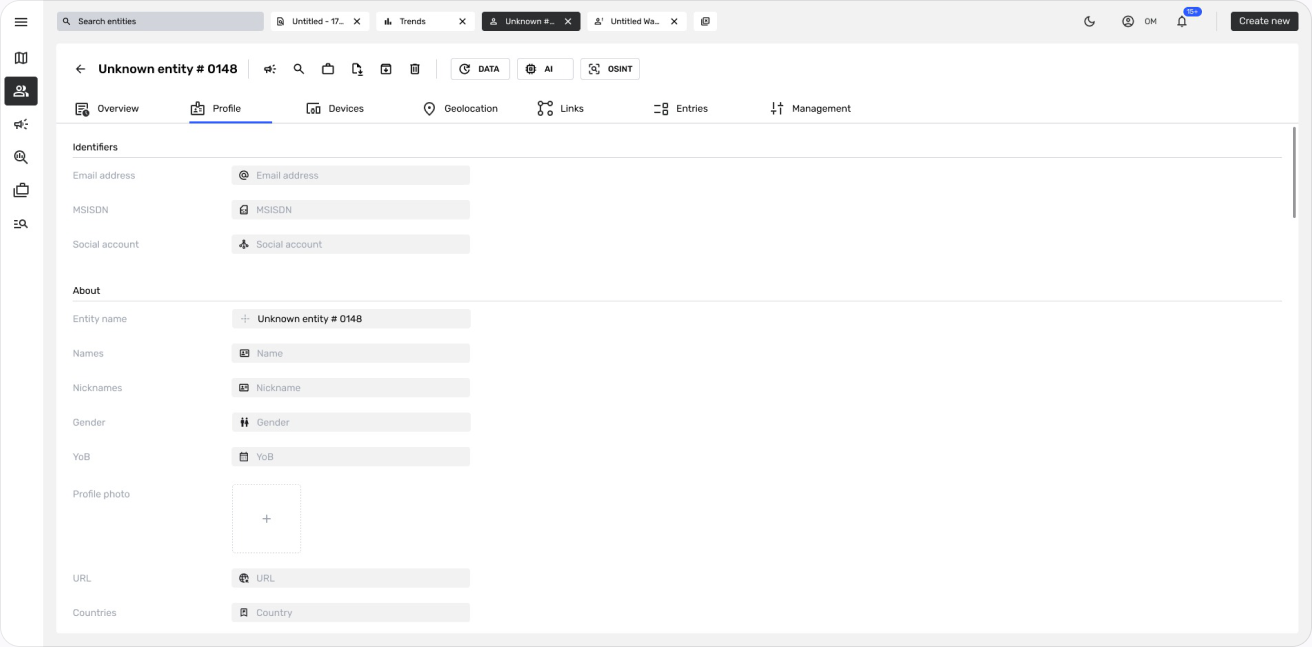
Entity profile. Identifiers and personal details in a clean form, with tabs for overview, profile, devices, geolocation, links, entries and management, plus quick actions for data, AI and OSINT enrichment.
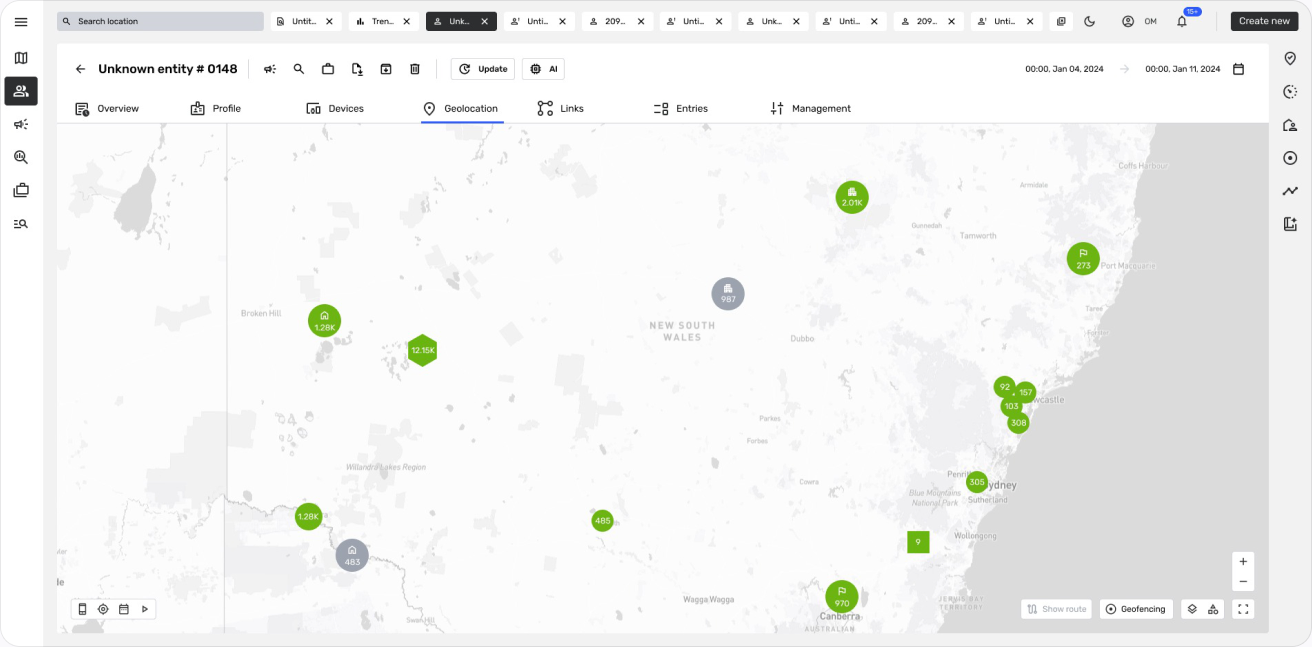
Entity geolocation. Every known location of the entity on the map, with time filters and routes, so movement patterns appear at a glance.
AI investigation
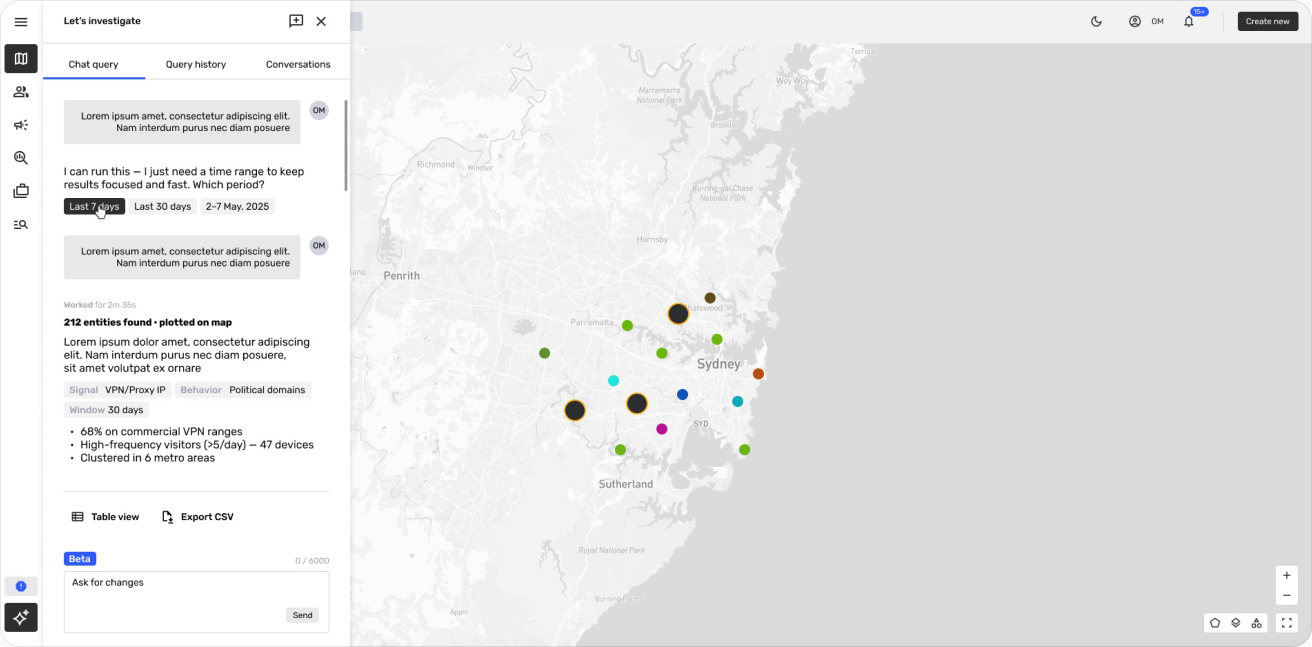
Some questions are easier to ask than to build. The AI chat lets analysts describe what they are looking for in plain words.
Let’s investigate. The analyst asks a question, the assistant asks back for missing details like the time range, then plots the results on the map: how many entities were found, the signals and behavior behind them, and short insights. Results open as a table or export to CSV, and every conversation is saved in history.